

Managing complex product development becomes difficult when requirements, risks, development tasks, and testing activities are spread across different tools.
A requirements engineer may work in one application, the testing team in another, and project managers may depend on spreadsheets to track progress. When requirements change, identifying the impact across these systems can take considerable time.
This becomes particularly challenging in automotive, medical devices, industrial automation, and other regulated industries, where teams need consistent processes, reliable traceability, and documented engineering evidence.
PTC Codebeamer helps address these challenges by bringing requirements, risk management, testing, and lifecycle workflows into a unified Application Lifecycle Management (ALM) platform.
But what exactly does Codebeamer do, and how can organizations use it to improve engineering processes?
In this guide, we explain PTC Codebeamer’s capabilities, how it supports requirements and test traceability, its role in compliance-related activities, and what organizations should consider when implementing or migrating to the platform.
What Is PTC Codebeamer?
PTC Codebeamer is an Application Lifecycle Management platform designed to help organizations manage complex product and software development processes.
It provides a connected environment for managing requirements, risks, tasks, tests, defects, and change-related activities throughout the development lifecycle.
Instead of maintaining engineering information in disconnected tools, teams can manage related artifacts and workflows within one platform.
For example, consider an automotive supplier developing an electronic control unit.
The engineering team needs to manage system requirements, software requirements, safety-related risks, test cases, and defects.
With Codebeamer, these activities can be organized within connected projects and trackers, helping teams understand how individual engineering records relate to one another.
Core Capabilities of PTC Codebeamer
Requirements management: Capture, organize, review, version, and manage engineering requirements.
Test management: Create test cases, manage test execution, and record results.
Risk management: Track risks, assessments, and mitigation activities through configured workflows.
Change management: Manage change requests, approvals, tasks, and related development activities.
Traceability: Establish relationships between requirements, risks, tests, and other engineering artifacts.
Reporting: Use configured reports and dashboards to monitor project information and lifecycle activities.
For a deeper look at requirements capabilities, read our article on the Codebeamer requirements management tool.
Evaluating Codebeamer for your engineering organization? Explore MicroGenesis PTC Codebeamer ALM services to discuss platform implementation, configuration, and lifecycle requirements.
How PTC Codebeamer Works as a Unified ALM Platform
The main value of Codebeamer is not simply that it provides several management capabilities.
It is the ability to connect engineering information and workflows within a common lifecycle environment.
In a traditional toolchain, requirements, risks, testing, and defects may be managed separately.
Codebeamer enables organizations to configure these activities through related trackers, workflows, and artifact links.
Mapping Codebeamer Artifacts to Engineering Process Areas
| Engineering process area | Codebeamer artifacts and capabilities | Purpose |
|---|---|---|
| Requirements management | Requirements, specifications, reviews | Define and control product requirements |
| Risk management | Risk records, assessments, mitigation actions | Identify and manage engineering risks |
| Development management | Tasks, work items, change requests | Coordinate implementation activities |
| Test management | Test cases, test sets, test runs | Plan and document verification |
| Defect management | Bugs, issues, corrective actions | Track problems and resolution |
| Change management | Change requests, approvals, workflows | Control engineering changes |
| Traceability | Artifact relationships and traceability views | Connect lifecycle information |
| Reporting | Reports, dashboards, project views | Monitor progress and engineering evidence |
The exact tracker structure, workflows, and available features depend on the Codebeamer configuration, edition, and deployment.
Example: Managing an Automotive Software Requirement
Suppose a requirement states that a vehicle control system must detect a specified fault within 300 milliseconds.
The team can establish relationships between:
The system requirement.
The related software requirement.
The applicable risk or safety analysis record.
The implementation task.
The verification test case.
The test execution result.
If the requirement changes, engineers can review its linked artifacts to understand which activities may need updating.
This connected approach helps reduce manual coordination and supports more informed change decisions.
PTC Codebeamer Requirements, Test and Risk Management
Requirements, testing, and risk management are closely related in complex engineering projects.
A requirement defines what a system should do. Risk management helps teams evaluate potential hazards or failures. Testing provides evidence about whether specified behavior has been achieved.
Codebeamer allows these activities to be managed within a connected ALM environment.
Requirements Management
Codebeamer supports structured requirements management through configurable trackers, attributes, workflows, reviews, and version history.
Teams can organize requirements, manage changes, and establish relationships between different requirement levels.
For organizations evaluating requirements platforms, our comparison of IBM DOORS vs PTC Codebeamer for automotive requirements management explains important considerations.
Test Management
Test management capabilities help teams define test cases, organize test activities, execute tests, and document results.
Test cases can be associated with relevant requirements, helping engineers review verification coverage.
However, linking a requirement to a test case does not automatically prove that the requirement has been successfully verified. Test quality, execution results, and evidence still need to be evaluated.
Risk Management
Risk management activities can be configured to support relevant engineering processes.
For example, automotive teams may need to connect safety-related risks with requirements, mitigation actions, and verification activities.
The specific workflows and records should reflect the organization’s engineering methods and applicable standards.
End-to-End Requirements and Test Traceability in Codebeamer
Traceability is one of the most important reasons organizations evaluate ALM platforms.
In complex development programs, it is not enough to know that requirements and tests exist. Teams need to understand how they relate to one another.
End-to-end traceability connects engineering information across different lifecycle stages.
How Traceability Works
A typical relationship may look like this:
Stakeholder Requirement → System Requirement → Software Requirement → Test Case → Test Result
Depending on the project, additional links may connect risks, design records, change requests, and defects.
These relationships help engineers answer practical questions:
Which tests verify a particular requirement?
Which requirements do not have linked test cases?
What changes could affect existing verification activities?
Which defects relate to a requirement?
What evidence is available for a particular engineering decision?
Why Traceability Matters During Change Management
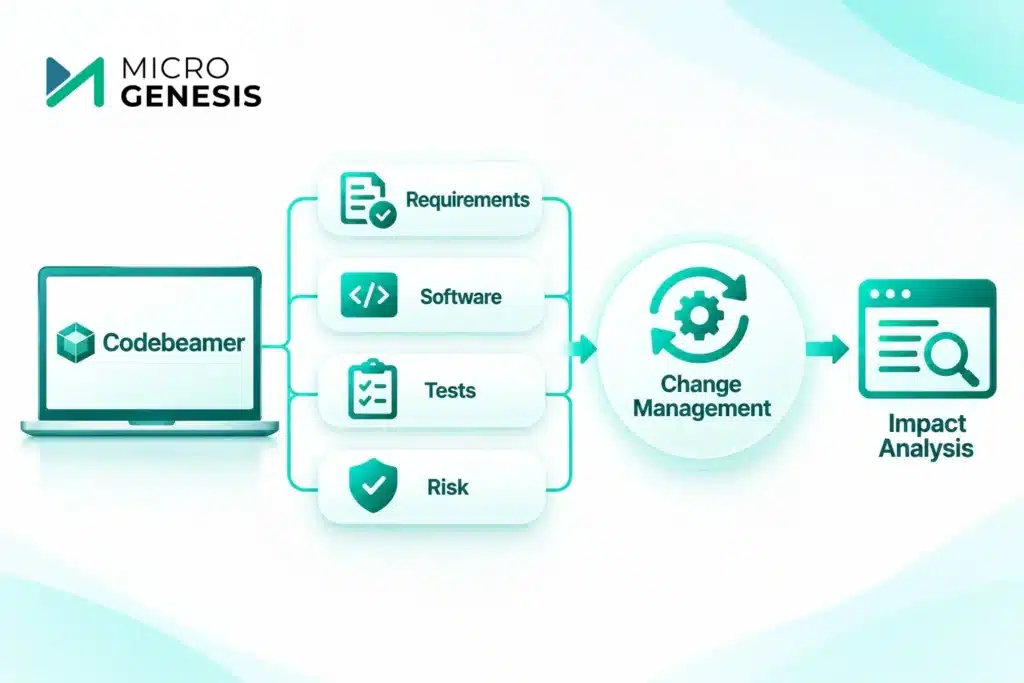
Consider a medical device manufacturer updating a software requirement after identifying a potential safety concern.
Without reliable traceability, engineers may need to search multiple systems to identify related tests and risk records.
With properly maintained Codebeamer links, teams can review connected artifacts and assess the potential impact more systematically.
This does not eliminate the need for engineering judgment. It provides better visibility into the information required for that judgment.
For automotive organizations, our article on requirements traceability for ASPICE compliance explains how traceability supports engineering process expectations.
Struggling to maintain requirements and test traceability? Speak with MicroGenesis about Codebeamer implementation and explore how connected workflows can support your engineering teams.
How PTC Codebeamer Supports Compliance and Audit Readiness
Organizations in regulated industries often need to demonstrate that engineering activities were performed according to defined processes.
This may involve requirements reviews, risk assessments, verification records, approvals, and change histories.
Codebeamer provides configurable capabilities that can support the management and retrieval of this information.
Compliance-Supporting Capabilities
Version history and change records
Teams can review changes to supported artifacts and maintain information about their evolution.
Configurable workflows
Organizations can define review, approval, and status transitions aligned with internal engineering procedures.
Traceability relationships
Linked artifacts can help teams identify relationships between requirements, risks, testing, and changes.
Reviews and approvals
Configured review processes can support documented engineering decisions and responsibilities.
Reports and evidence views
Reports and dashboards can help teams identify missing information, review project status, and prepare relevant records for assessments.
Codebeamer and Automotive Compliance
Automotive engineering teams frequently work with Automotive SPICE (ASPICE), ISO 26262, and other applicable standards.
ASPICE is a process assessment model, while ISO 26262 addresses functional safety for electrical and electronic systems in road vehicles.
Codebeamer can support the workflows, traceability, and records used in these engineering processes.
However, using Codebeamer does not automatically make an organization compliant.
Compliance depends on correctly defined processes, competent engineering activities, appropriate verification, and sufficient evidence.
Our article on automotive ISO 26262 and ASPICE compliance explains how these expectations affect automotive development.
You can also explore why Codebeamer ALM is a strong option for regulated industries for additional context.
Reporting and Dashboards in PTC Codebeamer
Engineering teams need more than individual work-item records. They need visibility into project progress, outstanding risks, testing activities, and requirement coverage.
Codebeamer provides reporting and dashboard capabilities that can be configured around project needs.
What Can Teams Monitor?
| Reporting area | Example information |
|---|---|
| Requirements | Status, ownership, changes and review progress |
| Traceability | Missing or incomplete artifact relationships |
| Testing | Test execution status and results |
| Defects | Open issues, severity and resolution progress |
| Risks | Risk status and mitigation activities |
| Change management | Pending requests, approvals and implementation status |
For example, a project manager may want to review requirements awaiting approval, while a test manager may focus on failed test cases and outstanding defects.
Dashboards can provide different views of the same underlying engineering information.
Their usefulness depends on accurate data, consistent workflows, and appropriate configuration.
Migrating from Legacy ALM Tools to PTC Codebeamer
Many organizations evaluating Codebeamer already have established engineering tools.
Requirements may be maintained in IBM DOORS or DOORS Next, while tests and defects are stored in other applications.
Migrating to Codebeamer therefore involves more than transferring records.
Teams must preserve relevant relationships, understand historical information, and establish workflows that support their future engineering processes.
Step 1: Assess the Existing ALM Environment
Begin by identifying the tools, projects, artifact types, workflows, and integrations currently in use.
Determine which information must be migrated and which historical records should be retained or archived.
Step 2: Define Data Mapping
Legacy tools and Codebeamer may use different data structures.
Migration planning should define how existing records map to Codebeamer trackers, attributes, statuses, users, and relationships.
For example:
| Legacy information | Potential Codebeamer destination |
|---|---|
| Requirements | Requirements tracker |
| Test cases | Test management artifacts |
| Defects | Bug or issue tracker |
| Change requests | Change management tracker |
| Requirement-test links | Configured artifact relationships |
| Historical approvals | Supported history or retained evidence, based on migration scope |
Historical audit information may not transfer with the same meaning or fidelity as the source system. This should be assessed explicitly.
Step 3: Validate Traceability
Migration teams should verify that important artifact relationships have been preserved or correctly reconstructed.
This is especially important for safety-critical and regulated projects.
Step 4: Run a Pilot Migration
Before migrating the complete environment, test the migration approach using representative projects.
Review data completeness, field mapping, relationships, permissions, and workflow behavior.
Step 5: Plan Cutover and User Adoption
Define when the source system becomes read-only, how final changes will be handled, and how users will transition to Codebeamer.
For organizations familiar with IBM requirements tools, our guides on requirements management with DOORS Next and migrating from DOORS to DOORS Next provide useful context on requirements data and migration considerations, although migration to Codebeamer requires its own mapping and validation approach.
Planning to move from a legacy ALM platform? Discuss your Codebeamer migration requirements with MicroGenesis to evaluate data mapping, traceability, and transition planning.
Managing Organizational Change During Codebeamer Adoption
Even a technically successful implementation can struggle if teams are not prepared to use the new platform.
Engineers may be familiar with existing tools, approval procedures, and reporting methods.
Introducing Codebeamer can change how requirements are reviewed, how tests are linked, and how engineering changes are managed.
Successful adoption requires attention to both technology and people.
Important activities include:
Involving requirements, testing, quality, and engineering stakeholders early.
Defining clear responsibilities and workflow ownership.
Configuring processes around genuine engineering needs.
Providing role-specific training.
Starting with a manageable pilot project.
Collecting feedback and improving workflows after deployment.
Organizations moving away from fragmented development processes may also benefit from our guide on transitioning from traditional development to ALM.
Which Industries and Teams Benefit from PTC Codebeamer?
Codebeamer is particularly relevant to organizations managing complex engineering requirements, product variants, verification activities, and regulated development processes.
Automotive and Mobility
Automotive teams can use Codebeamer to connect system and software requirements, risk activities, testing, and engineering changes.
Medical Devices
Medical device development teams may use configured workflows to manage requirements, risk records, verification evidence, and controlled changes.
Industrial Automation
Industrial engineering teams can manage requirements, software changes, test activities, and product development information across connected projects.
Aerospace and Defence
Engineering teams working on complex systems may benefit from structured requirements, configuration control, reviews, and traceability.
Embedded Software and Product Engineering
Teams developing embedded software can use Codebeamer to coordinate requirements, implementation activities, defects, and verification.
The suitability of Codebeamer depends on the organization’s process requirements, toolchain, deployment preferences, and integration needs.
How MicroGenesis Helps with PTC Codebeamer ALM
Implementing Codebeamer requires more than installing software and creating projects.
Organizations need to define how requirements, risks, tests, changes, and reporting should work together.
MicroGenesis supports organizations evaluating, implementing, and managing Codebeamer as part of their engineering lifecycle environment.
Codebeamer Implementation
We help organizations plan and configure Codebeamer environments based on engineering processes and project requirements.
This may include tracker configuration, workflows, roles, permissions, traceability structures, and reporting requirements.
Codebeamer Migration
We support migration planning, data mapping, pilot validation, and transition activities for organizations moving from existing ALM platforms.
The approach depends on source-system capabilities, data quality, historical records, and the required migration scope.
Codebeamer Managed Administration
Ongoing administration helps organizations maintain platform configurations as teams, projects, and processes evolve.
Administrative activities may include user and permission management, workflow adjustments, project configuration, and operational support, depending on the engagement.
ALM Process and Traceability Improvement
Our broader ALM experience helps organizations evaluate how requirements, risk management, testing, and change management should be connected.
For additional implementation guidance, explore our Codebeamer ALM Guide.
Organizations seeking regional support can also explore our Codebeamer ALM services in Bangalore.
Looking for Codebeamer implementation, migration, or administration support? Connect with MicroGenesis for PTC Codebeamer ALM services to discuss your engineering requirements.
Final Thoughts
PTC Codebeamer provides a unified ALM environment for managing requirements, risks, testing, changes, and engineering traceability.
Its value comes from connecting lifecycle information through configured workflows and artifact relationships, helping teams understand project status and the impact of engineering changes.
For organizations working in regulated or safety-critical environments, these capabilities can also support process consistency, evidence management, and audit preparation.
However, successful adoption depends on thoughtful configuration, reliable data migration, appropriate process design, and ongoing user engagement.
Whether your organization is evaluating Codebeamer for the first time or planning to replace existing ALM tools, the right implementation approach should reflect your engineering processes and business objectives.
Explore PTC Codebeamer ALM Services
Are you planning a Codebeamer implementation, migrating from a legacy ALM platform, or looking to improve requirements and test traceability?
MicroGenesis can help you assess your existing environment, plan your implementation, and establish connected engineering workflows.
Speak with MicroGenesis About PTC Codebeamer ALM to discuss your requirements and next steps.