

Modern software development is no longer just about writing code. Successful software delivery depends on effective planning, collaboration, version control, issue tracking, testing, and continuous deployment. To support these activities, development teams rely on specialized tools that streamline workflows and improve productivity.
Two of the most widely adopted platforms in this space are Jira and GitHub. While they are often compared, they are designed to solve different challenges within the software development lifecycle. Jira excels in project management, Agile planning, and issue tracking, whereas GitHub is built for version control, collaborative coding, and source code management using Git.
Many organizations evaluating development tools ask questions such as:
- Should we use Jira or GitHub?
- Can Jira replace GitHub?
- Does GitHub provide project management?
- Can Jira and GitHub work together?
The answer depends on your team’s goals. If your priority is managing projects, tracking work, and coordinating Agile teams, Jira offers a comprehensive solution. If your focus is managing code repositories, reviewing code, and collaborating on software development, GitHub is the industry standard.
In reality, many high-performing engineering teams use both platforms together. Jira manages tasks, requirements, user stories, bugs, and sprint planning, while GitHub manages source code, branches, pull requests, and version history. Integrating the two creates a seamless workflow where project updates and code changes remain synchronized throughout development.
Organizations implementing Agile software delivery often choose Jira because of its powerful sprint planning, workflow automation, and reporting capabilities. If you’re exploring Agile practices, our guide on Agile Project Management for Software Teams explains how Agile methodologies improve collaboration and accelerate software delivery.
In this guide, we’ll compare Jira and GitHub across features, project management capabilities, version control, collaboration, integrations, pricing, scalability, and real-world use cases to help you determine which platform best fits your development workflow.
What is Jira?
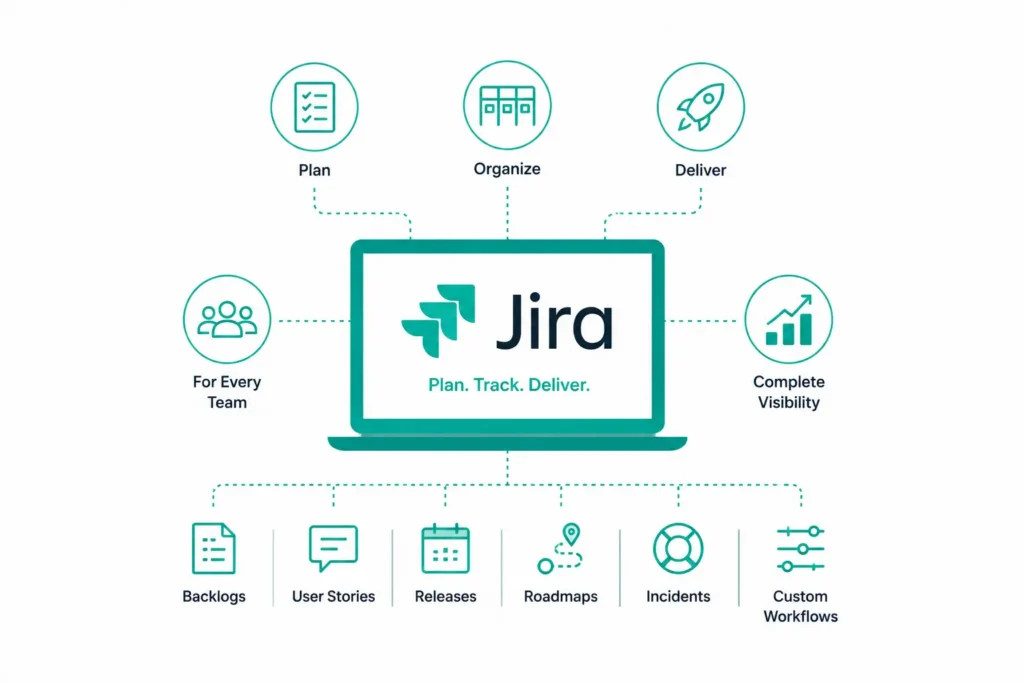
Jira is a project management and issue-tracking platform developed by Atlassian that helps teams plan, organize, and deliver work efficiently. Originally introduced as a bug-tracking tool for software teams, Jira has evolved into a comprehensive work management platform used by engineering, IT, operations, marketing, HR, finance, and business teams worldwide.
Today, Jira supports Agile methodologies such as Scrum and Kanban while enabling organizations to manage backlogs, user stories, releases, roadmaps, incidents, service requests, and custom workflows from a centralized platform.
Whether you’re building enterprise software, managing cloud infrastructure, or coordinating cross-functional projects, Jira provides complete visibility into project progress and team performance.
Organizations looking to maximize the value of Jira often work with experienced implementation partners. If you’re planning a deployment, it’s worth understanding Why It’s Smart to Work with an Atlassian Partner While Implementing Atlassian Solutions to ensure a successful rollout and long-term platform adoption.
Key Features of Jira
Comprehensive Issue and Task Tracking
Jira allows teams to create, assign, prioritize, and monitor work throughout the software development lifecycle.
Teams can manage:
- User stories
- Epics
- Tasks
- Bugs
- Incidents
- Change requests
- Service requests
- Technical debt
Every issue includes ownership, priority, due dates, workflow status, comments, attachments, and complete activity history, making it easier to track progress and maintain accountability.
Agile Project Management
Jira is built with Agile teams in mind and offers powerful planning capabilities for Scrum, Kanban, and hybrid methodologies.
Core Agile features include:
- Scrum Boards
- Kanban Boards
- Sprint Planning
- Product Backlogs
- Story Points
- Release Planning
- Velocity Charts
- Burndown Reports
These tools help teams prioritize work, monitor sprint performance, and deliver software incrementally.
Workflow Customization
One of Jira’s biggest strengths is its flexibility.
Organizations can create custom workflows that match their internal processes, including approval stages, issue transitions, automation rules, notifications, and permissions.
This makes Jira suitable for organizations of all sizes, from startups to large enterprises with complex operational requirements.
Reporting and Dashboards
Jira provides real-time dashboards and reporting capabilities that help managers monitor project health and team productivity.
Popular reports include:
- Sprint Reports
- Burndown Charts
- Velocity Reports
- Control Charts
- Cumulative Flow Diagrams
- Release Progress Reports
These insights help teams identify bottlenecks, improve planning accuracy, and make data-driven decisions.
For organizations that rely heavily on metrics and performance tracking, understanding Jira Reporting & Analytics can help unlock even greater visibility into project performance.
Automation
Manual project updates and repetitive administrative tasks can slow down development teams. Jira’s built-in automation engine helps eliminate repetitive work by automatically assigning issues, updating statuses, sending notifications, creating subtasks, and triggering approvals based on predefined rules.
By reducing manual effort, teams can focus more on delivering value and less on routine project administration.
To learn more about building efficient workflows, explore Jira Automation Workflows and discover practical automation strategies for software teams.
Integration Capabilities
Jira integrates seamlessly with hundreds of development, collaboration, and DevOps tools, creating a connected engineering ecosystem.
Popular integrations include:
- GitHub
- GitLab
- Bitbucket
- Jenkins
- Slack
- Microsoft Teams
- Confluence
- Azure DevOps
- ServiceNow
These integrations enable development teams to connect project planning with coding, testing, deployment, and monitoring activities.
Organizations looking to extend Jira’s capabilities can also explore Maximizing Jira Integrations and Add-ons to discover how plugins and integrations improve productivity across engineering teams.
Advantages of Jira
End-to-End Project Management
Jira supports the complete software development lifecycle by combining planning, issue tracking, sprint management, reporting, and release coordination within a single platform.
Flexible and Highly Customizable
Teams can configure workflows, issue types, permissions, dashboards, automation rules, notifications, and custom fields to meet unique business requirements.
Scales with Business Growth
Whether you’re managing a small development team or coordinating hundreds of engineers across multiple locations, Jira scales efficiently without sacrificing visibility or governance.
Rich Reporting and Analytics
Advanced dashboards provide real-time insights into sprint progress, workload distribution, delivery performance, and project health, enabling continuous improvement.
Strong DevOps Ecosystem
Jira integrates with source code repositories, CI/CD pipelines, testing tools, documentation platforms, and monitoring solutions, making it a central hub for Agile and DevOps teams.
Enterprise Security and Governance
Role-based access controls, audit logs, workflow approvals, and compliance features make Jira suitable for organizations operating in regulated industries.
Many businesses evaluating project management platforms also compare Jira with other popular solutions. If you’re considering alternatives, our detailed Jira Software vs Monday.com comparison can help you understand how Jira differs from another leading work management platform.
Disadvantages of Jira
Although Jira is one of the most powerful project management platforms available, it may not be the ideal solution for every organization.
Steep Learning Curve
Jira’s extensive feature set and customization options can be overwhelming for new users, particularly teams that are unfamiliar with Agile methodologies.
Initial Setup Requires Planning
To get the most value from Jira, organizations need to invest time in configuring workflows, permissions, issue types, dashboards, and automation rules that align with their processes.
Licensing Costs Can Increase
While Jira offers flexible pricing plans, costs can grow as organizations add more users or require advanced enterprise features.
May Be More Than Small Teams Need
For small projects with simple workflows, Jira’s robust capabilities may introduce unnecessary complexity compared to lighter project management tools.
What is GitHub?
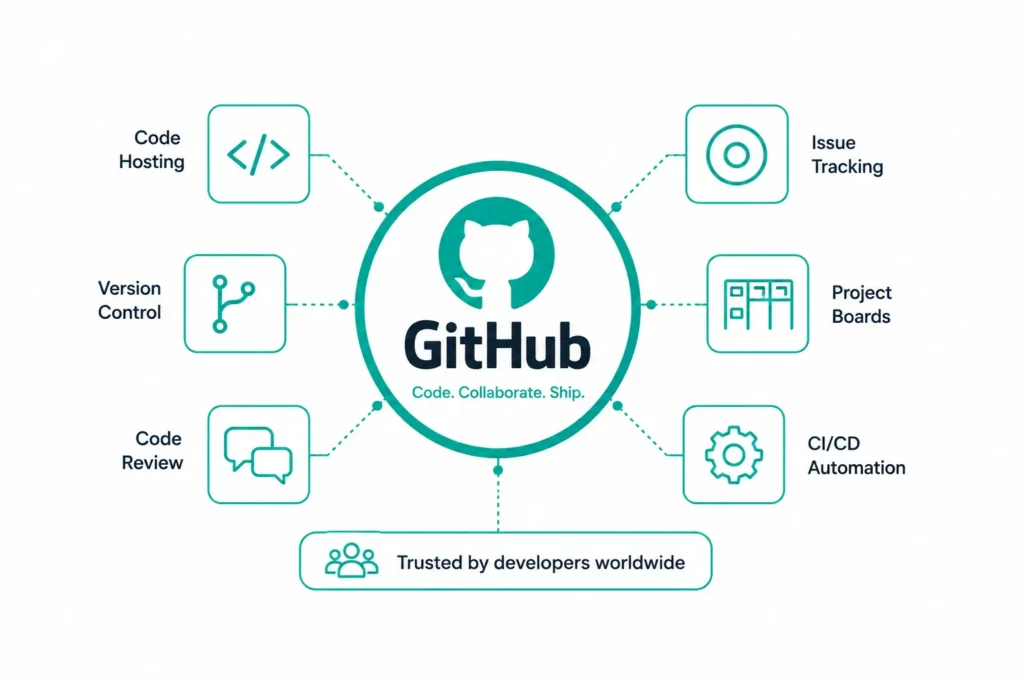
GitHub is the world’s leading Git-based version control and collaborative software development platform. Built on the Git version control system, GitHub enables developers to store, manage, review, and collaborate on source code while maintaining a complete history of every change made throughout a project’s lifecycle.
Today, GitHub hosts millions of public and private repositories and is trusted by startups, enterprises, and open-source communities alike. Beyond code hosting, GitHub provides powerful collaboration features such as pull requests, code reviews, issue tracking, project boards, security scanning, and GitHub Actions for CI/CD automation.
Unlike Jira, which focuses on project planning and work management, GitHub is designed specifically for software development teams that need reliable version control and collaborative coding capabilities.
Key Features of GitHub
Git-Based Version Control
At the core of GitHub is Git, a distributed version control system that enables multiple developers to work on the same project simultaneously without overwriting each other’s work.
Git allows developers to:
- Track every code change
- Restore previous versions
- Create branches
- Merge changes safely
- Maintain complete version history
This makes software development more organized and reduces the risk of losing valuable code.
Pull Requests and Code Reviews
GitHub’s pull request workflow allows developers to propose code changes before they are merged into the main branch.
During a pull request, team members can:
- Review code
- Suggest improvements
- Approve changes
- Discuss implementation
- Run automated tests
This collaborative review process improves code quality while reducing defects before deployment.
Branching and Merging
GitHub simplifies parallel development by allowing developers to create separate branches for features, bug fixes, or experiments.
Once development is complete, branches can be merged back into the primary codebase after review and testing.
This workflow supports faster development while maintaining code stability.
GitHub Actions
GitHub Actions enables teams to automate software development workflows directly within GitHub.
Common automation use cases include:
- Continuous Integration (CI)
- Continuous Deployment (CD)
- Automated testing
- Security scanning
- Package publishing
- Deployment pipelines
These capabilities help organizations accelerate software delivery while reducing manual effort.
Documentation and Wikis
GitHub allows teams to maintain project documentation using:
- README files
- Markdown documentation
- Wikis
- Release Notes
Keeping documentation alongside the source code ensures technical information remains current and easily accessible.
Open Source Collaboration
GitHub is home to the world’s largest open-source developer community.
Developers can:
- Fork repositories
- Submit pull requests
- Report issues
- Contribute improvements
- Collaborate across organizations
This collaborative ecosystem has made GitHub the preferred platform for open-source software development.
Advantages of GitHub
Industry-Leading Version Control
GitHub provides a secure and reliable platform for managing source code throughout the software development lifecycle.
Excellent Developer Collaboration
Features such as pull requests, discussions, branching, and code reviews make collaboration simple, even for globally distributed teams.
Powerful Automation
GitHub Actions enables development teams to automate builds, testing, deployments, and security checks without relying on external automation tools.
Strong Integration Ecosystem
GitHub integrates with hundreds of developer tools, including:
- Jira
- Jenkins
- Azure DevOps
- Docker
- Kubernetes
- Slack
- Visual Studio Code
This flexibility allows organizations to build modern DevOps pipelines tailored to their needs.
Ideal for Open Source Development
GitHub has become the standard platform for hosting and contributing to open-source projects, making collaboration across organizations seamless.
Enterprise-Grade Security
GitHub offers advanced security capabilities such as:
- Secret scanning
- Dependency scanning
- Code scanning
- Branch protection
- Two-factor authentication
- Enterprise access controls
These features help organizations secure their software supply chain.
Disadvantages of GitHub
While GitHub is an excellent platform for source code management, it has some limitations when compared to project management platforms like Jira.
Limited Project Management
GitHub includes Issues and Projects, but they cannot match Jira’s advanced Agile planning, backlog management, sprint planning, and reporting capabilities.
Learning Curve for Git
Developers new to Git often need time to understand concepts such as:
- Branching
- Rebasing
- Merging
- Conflict resolution
- Pull requests
Although GitHub simplifies many workflows, Git fundamentals still require learning.
Enterprise Features Require Paid Plans
Many advanced capabilities such as enterprise security, compliance features, and GitHub Advanced Security require premium subscriptions.
Designed Primarily for Developers
GitHub is optimized for software engineering teams.
Business users, marketing teams, HR departments, or finance teams may find Jira easier to adopt for workflow and project management.
Jira vs GitHub: Side-by-Side Comparison
Although Jira and GitHub are frequently compared, they solve different problems within the software development lifecycle. The following comparison highlights where each platform excels.
|
Feature |
Jira |
GitHub |
|
Primary Purpose |
Project management and issue tracking |
Version control and source code management |
|
Best For |
Agile teams, project managers, business teams |
Software developers and DevOps teams |
|
Project Management |
Excellent |
Basic |
|
Version Control |
Limited (through integrations) |
Excellent |
|
Agile Support |
Scrum, Kanban, Roadmaps |
Basic project boards |
|
Sprint Planning |
✔ |
✘ |
|
Pull Requests |
Via integrations |
Native |
|
Code Reviews |
Via integrations |
Native |
|
Repository Hosting |
No |
Yes |
|
Reporting & Dashboards |
Advanced |
Limited |
|
Workflow Automation |
Extensive |
GitHub Actions |
|
CI/CD |
Through integrations |
Built-in with GitHub Actions |
|
Documentation |
Confluence integration |
README, Wiki, Markdown |
|
Third-Party Integrations |
Extensive |
Extensive |
|
Enterprise Governance |
Excellent |
Excellent |
|
Ideal Users |
Project Managers, Product Owners, QA, Developers |
Developers, DevOps Engineers, Open Source Teams |
Jira vs GitHub: Feature Comparison
Purpose
The biggest difference between Jira and GitHub lies in their primary purpose.
Jira is designed to help organizations manage projects, track work, plan Agile sprints, monitor progress, and improve collaboration across teams.
GitHub is built for software development, enabling developers to manage source code, collaborate through pull requests, and maintain version history.
Winner:
- Project Management: Jira
- Source Code Management: GitHub
Project Management
Jira provides one of the most comprehensive project management platforms available for Agile teams.
It supports:
- Sprint planning
- Backlog management
- Roadmaps
- Issue tracking
- Workflow customization
- Resource planning
- Advanced reporting
GitHub offers Projects and Issues, but these are primarily intended to organize development work rather than manage enterprise-scale projects.
For organizations seeking advanced workflow management, Jira remains the stronger choice. If you’d like to explore why many enterprises prefer Jira for managing complex workflows, read Why Atlassian Jira Is the Best Workflow Management Software for Businesses.
Version Control
Version control is where GitHub clearly excels.
GitHub provides native Git support, enabling developers to efficiently manage repositories, branches, commits, pull requests, and releases.
Jira, by comparison, relies on integrations with GitHub, Bitbucket, or GitLab for source code management rather than offering built-in version control capabilities.
Organizations already using Atlassian products may also consider Bitbucket as an alternative Git repository platform. Our guide on Strengthen Your Coding Skills with Bitbucket explains how Bitbucket supports collaborative software development within the Atlassian ecosystem.
Collaboration
Both Jira and GitHub are built to improve collaboration, but they serve different audiences and collaboration styles.
Jira enables collaboration around work. Product managers, Scrum Masters, developers, QA engineers, business analysts, and stakeholders can plan work, assign tasks, monitor progress, and communicate through comments, mentions, attachments, and notifications.
GitHub, on the other hand, enables collaboration around code. Developers can review pull requests, comment on code changes, resolve merge conflicts, discuss implementation approaches, and maintain code quality before merging updates into production.
For software engineering teams, using Jira and GitHub together creates a connected workflow where business discussions happen in Jira while technical collaboration takes place in GitHub.
Winner: Tie, as both tools excel in different collaboration scenarios.
Integrations
One of Jira’s biggest strengths is its ability to integrate with hundreds of development, ITSM, and business applications.
Popular Jira integrations include:
- GitHub
- GitLab
- Bitbucket
- Jenkins
- Confluence
- Slack
- Microsoft Teams
- ServiceNow
- Azure DevOps
GitHub also offers an extensive integration ecosystem that supports development workflows, CI/CD pipelines, package management, and cloud platforms.
Common GitHub integrations include:
- Jira
- Docker
- Kubernetes
- Jenkins
- Visual Studio Code
- Azure
- AWS
- Google Cloud
- SonarQube
Organizations looking to build an integrated engineering ecosystem can further enhance Jira by using plugins and marketplace apps. Our guide on Maximizing Jira Integrations and Add-ons explores how integrations improve collaboration, automation, and productivity across software teams.
Winner: Tie
DevOps and CI/CD
Modern software delivery depends on automation, continuous integration, continuous deployment, and seamless collaboration between development and operations teams.
GitHub includes GitHub Actions, enabling developers to automate:
- Code builds
- Automated testing
- Security scanning
- Package publishing
- Deployment workflows
Jira complements these capabilities by tracking development work, release progress, sprint planning, defects, and deployment status throughout the software delivery lifecycle.
When integrated, Jira and GitHub provide complete visibility from requirement creation to production deployment.
This combination allows teams to:
- Link commits to Jira issues
- Associate pull requests with user stories
- Automatically update issue statuses
- Track releases
- Improve traceability
Together, they support a mature DevOps workflow that accelerates delivery while maintaining governance.
Winner: GitHub for CI/CD, Jira for delivery management.
Reporting and Analytics
Jira offers comprehensive reporting capabilities designed for project managers, Scrum Masters, and leadership teams.
Built-in reports include:
- Sprint Reports
- Burndown Charts
- Velocity Charts
- Cumulative Flow Diagrams
- Control Charts
- Roadmaps
- Workload Reports
These reports help organizations monitor delivery performance, identify bottlenecks, and continuously improve Agile processes.
GitHub provides repository insights, contribution statistics, workflow execution logs, and security dashboards. While useful for developers, its reporting capabilities are not as extensive as Jira’s project management analytics.
If your organization relies on metrics-driven decision-making, our guide on Jira Reporting & Analytics explains how advanced reporting can improve project visibility and performance.
Winner: Jira
Pricing
Both Jira and GitHub offer free plans, making them accessible for startups and small development teams.
Jira Pricing
Jira offers:
- Free Plan
- Standard
- Premium
- Enterprise
Pricing is based on the number of users and the selected feature set.
GitHub Pricing
GitHub offers:
- Free
- Team
- Enterprise
Advanced features such as enterprise security, compliance capabilities, and GitHub Advanced Security are available in higher-tier plans.
For growing organizations, total cost should be evaluated based on licensing, integrations, administration, and long-term scalability rather than subscription fees alone.
Winner: Depends on organizational requirements.
Scalability
Both platforms scale effectively for enterprise environments.
Jira supports organizations managing thousands of users across multiple projects with advanced administration, permission management, workflow customization, and governance capabilities.
GitHub Enterprise supports large engineering organizations through centralized repository management, security controls, enterprise authentication, audit logs, and developer collaboration features.
Winner: Tie
Security
Security is essential when managing software projects and source code.
Jira provides enterprise-grade security features such as:
- Role-based permissions
- Audit logs
- SSO integration
- Data encryption
- Compliance support
GitHub strengthens software supply chain security through:
- Secret scanning
- Dependency scanning
- Code scanning
- Branch protection
- Two-factor authentication
- Security advisories
Both platforms meet enterprise security requirements, although GitHub offers more specialized capabilities for securing software repositories.
Winner: Tie
Should You Use Jira and GitHub Together?
Many organizations mistakenly believe they must choose between Jira and GitHub. In reality, these platforms are designed to complement each other rather than compete.
Jira manages the business side of software development by organizing work, planning sprints, tracking bugs, managing releases, and providing visibility into project progress.
GitHub manages the technical side by storing source code, enabling version control, facilitating code reviews, and automating software delivery.
When integrated, the two platforms create a seamless development workflow.
For example:
- A product owner creates a user story in Jira.
- A developer starts work by creating a GitHub branch linked to that Jira issue.
- Code changes are committed and reviewed through pull requests.
- Once approved and merged, Jira automatically updates the issue status.
- Deployment information is linked back to the original work item, providing complete traceability.
This integration eliminates manual updates, improves collaboration between technical and non-technical teams, and provides end-to-end visibility across the software development lifecycle.
For teams looking to streamline software delivery even further, Jira’s automation capabilities can reduce repetitive tasks and improve workflow efficiency. Learn more in our guide on Jira Automation Workflows.
How MicroGenesis Can Help
As an Atlassian Platinum Solution Partner, MicroGenesis helps organizations implement, customize, integrate, and optimize Jira to support Agile development, IT service management, and enterprise project delivery.
Our experts assist businesses with:
- Jira implementation and configuration
- Jira Cloud migration
- Workflow customization
- Agile transformation
- Jira Service Management implementation
- Atlassian licensing and support
- Marketplace app implementation
- Jira-GitHub integration
- DevOps consulting
- Enterprise-scale Jira administration
We also help organizations integrate Jira with GitHub and other development tools, enabling seamless traceability between project planning, source code management, testing, and deployment.
Whether you’re adopting Jira for the first time or looking to improve an existing implementation, MicroGenesis provides the expertise needed to build a scalable and efficient software delivery ecosystem.
Frequently Asked Questions
Is Jira the same as GitHub?
No. Jira is a project management and issue-tracking platform, while GitHub is a Git-based version control and source code management platform.
Can Jira replace GitHub?
No. Jira does not provide native Git repository hosting or version control. It is designed to complement platforms like GitHub rather than replace them.
Can GitHub replace Jira?
GitHub includes basic project management capabilities, but it lacks the advanced Agile planning, workflow management, reporting, and issue-tracking features that Jira offers.
Can Jira integrate with GitHub?
Yes. Jira integrates seamlessly with GitHub, allowing teams to link commits, branches, pull requests, and deployments to Jira issues for complete traceability.
Which is better for Agile project management?
Jira is the better choice because it offers Scrum boards, Kanban boards, sprint planning, backlog management, roadmaps, and advanced reporting.
Which platform is better for version control?
GitHub is specifically designed for version control and collaborative software development, making it the preferred choice for managing source code.
Should startups use Jira or GitHub?
Many startups use both. GitHub manages code repositories, while Jira helps organize development work, especially as teams grow.
Which tool is better for enterprise software development?
For most enterprises, using Jira and GitHub together delivers the best results by combining robust project management with industry-leading version control and collaborative development.
Conclusion
Jira and GitHub are not competing platforms but complementary tools that address different aspects of the software development lifecycle. Jira excels at project planning, Agile execution, issue tracking, and team collaboration, while GitHub provides industry-leading version control, collaborative coding, and automation capabilities for software development.
Choosing the right platform depends on your organization’s priorities. If you need comprehensive project management, workflow customization, and Agile planning, Jira is the ideal solution. If your focus is source code management, pull requests, and collaborative development, GitHub is the better choice. For most modern engineering teams, integrating Jira and GitHub delivers the best of both worlds by connecting planning, development, testing, and deployment into a unified workflow.
With extensive experience as an Atlassian Platinum Solution Partner, MicroGenesis helps organizations successfully implement, integrate, and optimize Jira alongside development platforms like GitHub. Whether you’re modernizing your Agile practices, streamlining DevOps workflows, or improving software delivery, our experts can help you build a connected engineering ecosystem that drives productivity, collaboration, and business success.