

Modern products are becoming increasingly complex. Whether developing an aircraft, connected vehicle, medical device, railway system, or industrial automation solution, engineering teams must coordinate requirements, design, verification, software, electronics, and mechanical systems throughout the product lifecycle. Managing this complexity with traditional document-based approaches often results in disconnected teams, inconsistent requirements, limited traceability, and longer development cycles.
This is where Model-Based Systems Engineering (MBSE) transforms the engineering process. Instead of relying on multiple documents and spreadsheets, MBSE uses intelligent system models as the central source of information. These models improve collaboration, provide end-to-end traceability, support early validation, and help engineering teams make informed decisions throughout the development lifecycle.
However, implementing MBSE successfully requires selecting the right MBSE tools. Modern model-based systems engineering tools provide capabilities such as SysML modeling, requirements management, simulation, version control, digital thread integration, configuration management, and lifecycle collaboration. The right platform enables organizations to develop complex products faster while improving quality, compliance, and engineering efficiency.
This guide explores the best MBSE tools, their key capabilities, strengths, ideal use cases, and the factors organizations should consider before selecting an MBSE platform.
New to MBSE? Before exploring the available tools, understand the fundamentals of Model-Based Systems Engineering and how it replaces traditional document-centric engineering.
Related Reading: Transitioning from Document to Model-Centric Engineering
What Are MBSE Tools?
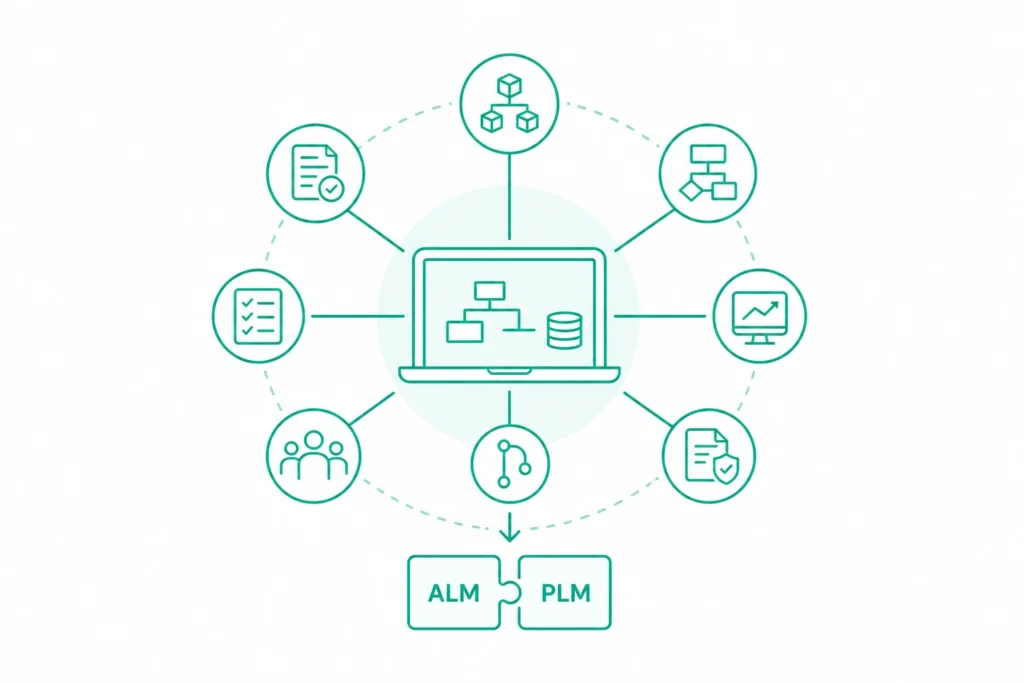
MBSE tools are software platforms that enable organizations to create, manage, analyze, and maintain system models throughout the product lifecycle. Rather than managing separate documents for requirements, architecture, design, testing, and validation, these platforms establish a connected engineering environment where every artifact remains linked.
Modern MBSE software supports engineering teams by providing:
- System architecture modeling
- SysML-based system design
- Requirements management
- Simulation and behavioral analysis
- Version control and configuration management
- Requirements traceability
- Collaboration across engineering teams
- Integration with ALM and PLM platforms
- Compliance documentation for regulated industries
By connecting engineering data throughout development, model-based systems engineering software reduces manual effort, improves consistency, and minimizes costly design errors.
Organizations developing safety-critical products often combine MBSE with Application Lifecycle Management (ALM) to maintain complete traceability from requirements to validation.
Related Reading: Learn how ALM complements MBSE by providing lifecycle governance and traceability.
Why MBSE Tools Are Becoming Essential
Engineering organizations are no longer designing isolated systems. Today’s products combine software, electronics, embedded systems, cloud connectivity, artificial intelligence, and mechanical components into highly integrated ecosystems.
Traditional engineering methods struggle to manage this growing complexity because information is spread across multiple documents and disconnected tools. MBSE tools solve this challenge by creating a single engineering model that connects every stage of development.
Some of the biggest advantages include:
Improved Collaboration
Engineers from software, electrical, mechanical, and systems disciplines can work using a shared system model, improving communication and reducing misunderstandings.
Better Requirements Traceability
Every Requirements Traceability can be traced to system architecture, design components, implementation, verification, and validation. This is particularly valuable for regulated industries.
Early Design Validation
Many MBSE software tools support simulation and behavioral analysis, allowing teams to identify design issues before physical prototypes are built. Early validation reduces engineering risks and lowers development costs.
Faster Change Management
Engineering changes automatically propagate across connected models, helping teams understand dependencies and reduce manual rework.
Stronger Regulatory Compliance
Industries such as aerospace, automotive, healthcare, rail, and defense require complete engineering documentation. Model-based systems engineering tools simplify compliance by maintaining consistent traceability throughout development.
Key Features to Look for in MBSE Software
Not every MBSE tool offers the same capabilities. The ideal platform depends on project complexity, industry requirements, and existing engineering workflows.
When evaluating MBSE software, consider whether it supports the following capabilities.
SysML Modeling
Support for SysML is essential for creating system architecture, behavioral models, requirement diagrams, parametric models, and interface definitions.
Requirements Management
The best MBSE tools integrate requirements directly into system models, enabling complete traceability throughout development.
Organizations managing safety-critical systems should prioritize platforms with strong requirements management capabilities.
Related Reading: Explore Best Practices for Requirements Management in ALM.
Version Control and Configuration Management
As engineering teams grow, managing multiple model versions becomes increasingly important.
Choose MBSE tools that provide:
- Version history
- Baseline management
- Change tracking
- Configuration control
- Collaborative editing
These capabilities are especially important for organizations managing distributed engineering teams.
Simulation and Analysis
Simulation enables engineers to validate system behavior before implementation.
Leading model-based systems engineering tools include simulation capabilities that help verify:
- Functional behavior
- System interactions
- Performance
- Failure scenarios
- Design alternatives
Simulation significantly reduces engineering risk during product development.
Integration with ALM and PLM
The most effective MBSE platforms integrate seamlessly with Application Lifecycle Management (ALM), Product Lifecycle Management (PLM), and requirements management solutions.
These integrations create a connected engineering ecosystem where models, requirements, software development, testing, and product lifecycle information remain synchronized.
Learn how IBM ELM and PTC Codebeamer Integration supports connected engineering environments.
How to Choose the Best MBSE Tool
Selecting the right MBSE tool depends on your organization’s engineering maturity, industry regulations, and product complexity. Rather than choosing the platform with the most features, organizations should evaluate which solution aligns best with their development processes and long-term digital engineering strategy.
When comparing MBSE tools, consider the following questions:
- Does the platform support SysML and systems architecture modeling?
- Can it integrate with existing ALM, PLM, and requirements management tools?
- Does it provide version control and configuration management?
- Is simulation and model validation supported?
- Can it support regulatory compliance and end-to-end traceability?
- Will it scale as engineering teams and product complexity grow?
- Does it enable collaboration across software, hardware, and systems engineering teams?
The answers to these questions will help narrow the selection to the platforms that best fit your organization’s needs.
Top MBSE Tools and Platforms
Selecting the right MBSE tool depends on your organization’s product complexity, compliance requirements, existing engineering ecosystem, and collaboration needs. While some platforms excel in requirements management and lifecycle traceability, others focus on system modeling, simulation, or product lifecycle integration.
Below are some of the leading model-based systems engineering tools widely used across aerospace, automotive, defense, medical devices, manufacturing, and other engineering-intensive industries.
PTC Windchill
PTC Windchill is one of the most widely adopted Product Lifecycle Management (PLM) platforms that supports Model-Based Systems Engineering (MBSE) by connecting engineering data across the entire product lifecycle. It enables organizations to manage product information, configurations, and engineering changes while integrating seamlessly with MBSE and ALM solutions.
Key Features
- Product Lifecycle Management (PLM)
- Digital Thread support
- Configuration and change management
- Product data management
- Integration with PTC Codebeamer
- Collaboration across mechanical, electrical, and software engineering teams
Best For
Organizations developing complex products that require strong lifecycle governance, engineering collaboration, and traceability across multiple disciplines.
Advantages
- Excellent configuration management
- Strong Digital Thread capabilities
- Enterprise-scale collaboration
- Seamless integration with PTC ecosystem
Considerations
- Implementation can be complex for smaller organizations.
- Requires planning and governance to maximize value.
Learn how Digital Thread connects engineering data throughout the product lifecycle.
PTC Codebeamer
PTC Codebeamer is a modern Application Lifecycle Management (ALM) platform designed for organizations developing complex and safety-critical products. It combines requirements management, risk management, test management, and compliance into a single environment while supporting MBSE workflows.
Because of its strong integration with PLM platforms and modeling environments, Codebeamer has become one of the preferred MBSE software solutions for regulated industries.
Key Features
- Requirements Management
- Risk Management
- Test Management
- End-to-end Traceability
- Regulatory Compliance Support
- Workflow Automation
- Integration with MBSE and PLM platforms
Best For
- Automotive
- Aerospace
- Medical Devices
- Railway
- Defense
Advantages
- Excellent requirements traceability
- Strong compliance capabilities
- Built-in risk management
- Flexible workflow customization
Considerations
- Best suited for medium and large engineering organizations.
- Advanced functionality may require user training.
Discover how IBM ELM and PTC Codebeamer Integration enables connected engineering environments.
IBM Rational Rhapsody
IBM Rational Rhapsody is one of the most recognized model-based systems engineering tools for developing embedded and real-time systems. Supporting both SysML and UML, it enables engineers to create executable models, validate system behavior, and improve collaboration between systems and software teams.
Its advanced simulation capabilities make it particularly valuable for organizations developing mission-critical products.
Key Features
- SysML & UML Modeling
- Behavioral Simulation
- Real-Time System Design
- Embedded Systems Modeling
- Model Validation
- Requirements Integration
Best For
- Aerospace
- Defense
- Automotive
- Industrial Automation
- Embedded Software Development
Advantages
- Powerful simulation capabilities
- Strong SysML support
- Excellent for complex embedded systems
- Mature modeling environment
Considerations
- Requires experienced systems engineers.
- Licensing costs may be higher than entry-level platforms.
Related Reading: Learn how system models improve requirements validation.
Why Requirements Management Matters in MBSE
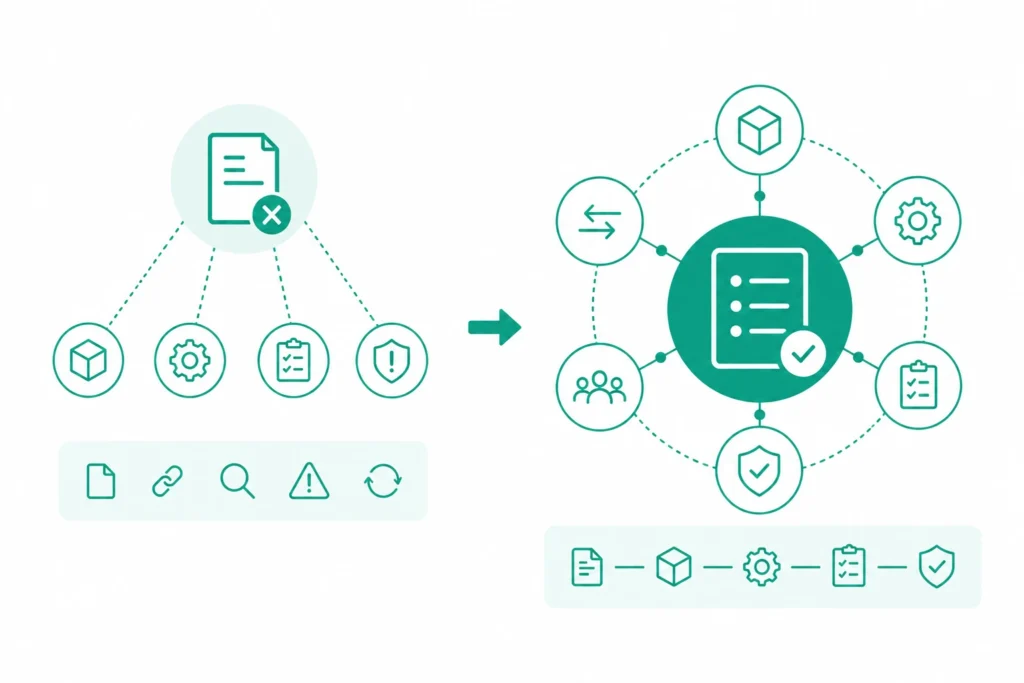
Successful MBSE implementations depend on more than system modeling. Every system model must remain connected to business requirements, stakeholder needs, design decisions, verification activities, and regulatory documentation.
Without effective requirements management, organizations often experience:
- Inconsistent documentation
- Poor traceability
- Difficult impact analysis
- Compliance challenges
- Increased engineering rework
Modern MBSE tools address these challenges by integrating Requirements Engineering directly into engineering models, ensuring every change is visible across the development lifecycle.
MBSE Tool Comparison
|
Tool |
Best For |
Key Strength |
|
PTC Windchill |
Enterprise Product Development |
PLM & Digital Thread |
|
PTC Codebeamer |
Safety-Critical Industries |
ALM, Compliance & Traceability |
|
IBM Rational Rhapsody |
Embedded & Real-Time Systems |
SysML Modeling & Simulation |
Continue Reading
The next section explores additional leading MBSE software tools, including Cameo Systems Modeler and Enterprise Architect, along with recommendations for selecting the right platform based on your industry, engineering maturity, and digital transformation goals.
More Leading MBSE Tools for Complex Systems Engineering
While platforms like PTC Windchill, Codebeamer, and IBM Rational Rhapsody are widely used for enterprise engineering, several other MBSE tools provide specialized capabilities for system modeling, architecture design, simulation, and collaborative engineering. The right platform depends on factors such as product complexity, regulatory requirements, and integration with existing engineering ecosystems.
Cameo Systems Modeler
Cameo Systems Modeler (formerly MagicDraw), developed by No Magic and now part of Dassault Systèmes, is one of the most comprehensive Model-Based Systems Engineering (MBSE) platforms available. It is widely used by organizations developing complex systems that require advanced architecture modeling, simulation, and collaboration.
The platform supports SysML, UML, UPDM, and UAF standards, making it a preferred choice for industries such as aerospace, defense, automotive, and government.
Key Features
- Comprehensive SysML and UML modeling
- Simulation and model validation
- Requirements traceability
- Collaborative model repository
- Integration with Dassault 3DEXPERIENCE
- Digital Thread support
Best For
- Aerospace
- Defense
- Automotive
- Government Programs
- Large Enterprise Engineering Teams
Advantages
- Excellent SysML support
- Advanced simulation capabilities
- Strong collaboration features
- Enterprise-grade scalability
Considerations
- Requires experienced MBSE practitioners.
- Large implementations may involve higher licensing and administration costs.
Related Reading: Organizations implementing MBSE in regulated environments can also explore Model-Based Systems Engineering in Automotive Engineering.
Enterprise Architect
Enterprise Architect by Sparx Systems is a flexible and cost-effective MBSE software solution suitable for organizations looking to adopt model-based engineering without investing in large enterprise platforms. It supports multiple modeling standards, making it useful for systems engineering, software architecture, business process modeling, and enterprise architecture.
Its affordability and broad functionality make it a popular option for small and medium-sized engineering teams.
Key Features
- SysML and UML support
- Requirements management
- BPMN and ArchiMate modeling
- Version control integration
- Collaborative modeling
- Custom automation capabilities
Best For
- Small and medium engineering teams
- Software product companies
- Consulting organizations
- Enterprise architecture projects
Advantages
- Lower implementation cost
- Easy integration with version control systems
- Supports multiple modeling standards
- Flexible customization
Considerations
- Limited advanced simulation compared to specialized MBSE platforms.
- Large enterprise deployments may require additional governance.
Which MBSE Tool Is Best for Your Industry?
Different industries have unique engineering challenges, compliance requirements, and product development processes. Choosing the right MBSE tool should align with these industry-specific needs rather than following a one-size-fits-all approach.
|
Industry |
Recommended MBSE Tools |
Why They’re a Good Fit |
|
Aerospace & Defense |
IBM Rational Rhapsody, Cameo Systems Modeler, PTC Windchill |
Advanced modeling, simulation, Digital Thread, compliance |
|
Automotive |
PTC Codebeamer, IBM Rational Rhapsody, Cameo Systems Modeler |
Functional safety, traceability, embedded systems |
|
Medical Devices |
PTC Codebeamer, Enterprise Architect |
Requirements management, regulatory compliance |
|
Manufacturing |
PTC Windchill, Enterprise Architect |
Product lifecycle management and collaboration |
|
Industrial Automation |
IBM Rational Rhapsody, Enterprise Architect |
Embedded systems and real-time system design |
Organizations should also consider integration capabilities with ALM, PLM, and requirements management platforms to create a connected engineering ecosystem.
How MicroGenesis TechSoft Supports MBSE Adoption
Selecting the right MBSE software is only one part of a successful implementation. Organizations also need the right expertise to integrate tools, establish engineering processes, and enable cross-functional collaboration.
MicroGenesis TechSoft has extensive experience helping organizations adopt Model-Based Systems Engineering by combining consulting, implementation, integration, and training services. The company supports engineering teams across industries such as automotive, aerospace, defense, manufacturing, healthcare, and industrial engineering.
Its MBSE capabilities include:
- MBSE consulting and implementation
- IBM Rational Rhapsody implementation
- PTC Codebeamer implementation and integration
- Requirements management consulting
- SysML modeling support
- ALM and PLM integration
- Engineering process consulting
- Tool migration and customization
- User training and enablement
By integrating MBSE with Application Lifecycle Management (ALM) and Product Lifecycle Management (PLM), MicroGenesis TechSoft helps organizations improve traceability, collaboration, and engineering efficiency throughout the product lifecycle.
Best Practices for Selecting an MBSE Tool
Before investing in an MBSE platform, organizations should evaluate more than just modeling capabilities. The right solution should support current engineering needs while remaining scalable for future projects.
Consider the following best practices:
- Define business and engineering objectives before evaluating tools.
- Prioritize platforms with strong SysML support and requirements traceability.
- Evaluate integration with existing ALM, PLM, and DevOps ecosystems.
- Consider version control, configuration management, and collaborative modeling capabilities.
- Assess simulation, validation, and verification features.
- Review licensing costs, scalability, and vendor support.
- Choose a platform that aligns with industry regulations and compliance requirements.
A structured evaluation process helps engineering teams select an MBSE platform that supports long-term digital engineering initiatives rather than only immediate project needs.
MBSE Tools Comparison at a Glance
Every organization has different engineering priorities. Some focus on compliance and traceability, while others prioritize simulation, collaboration, or lifecycle management. The comparison below provides a quick overview of the leading MBSE tools discussed in this guide.
|
MBSE Tool |
SysML Support |
Requirements Management |
Simulation |
PLM/ALM Integration |
Best For |
|
PTC Windchill |
✓ |
✓ |
Limited |
Excellent |
Product Lifecycle Management |
|
PTC Codebeamer |
✓ |
Excellent |
Moderate |
Excellent |
Safety-Critical Industries |
|
IBM Rational Rhapsody |
Excellent |
✓ |
Excellent |
Good |
Embedded & Real-Time Systems |
|
Cameo Systems Modeler |
Excellent |
✓ |
Excellent |
Excellent |
Complex System Architecture |
|
Enterprise Architect |
✓ |
Good |
Moderate |
Good |
Cost-Effective MBSE Adoption |
Common Challenges When Selecting an MBSE Tool
With numerous MBSE software tools available, selecting the right platform can be challenging. Organizations often evaluate features without considering long-term engineering goals, resulting in costly migrations or underutilized software.
Some common challenges include:
Integration with Existing Engineering Tools
Many organizations already use ALM, PLM, CAD, simulation, and requirements management solutions. Selecting an MBSE platform that integrates seamlessly with these systems helps create a connected engineering environment.
Learning Curve
Advanced model-based systems engineering tools offer extensive functionality but often require training and process changes. Organizations should evaluate vendor documentation, implementation support, and onboarding resources before adoption.
Scalability
A tool that meets today’s requirements should also support future projects, larger engineering teams, and increasing product complexity.
Regulatory Compliance
Engineering organizations operating in aerospace, automotive, rail, healthcare, and defense should ensure the selected platform supports traceability,Regulatory Compliance Tools, audit trails, and documentation required by industry standards.
Best Practices for Successfully Implementing MBSE
Choosing the right MBSE tool is only the first step. Organizations should also establish engineering processes that encourage collaboration, consistency, and lifecycle traceability.
Some implementation best practices include:
- Define engineering objectives before selecting a platform.
- Standardize SysML modeling guidelines across teams.
- Integrate MBSE with ALM, PLM, and requirements management tools.
- Maintain version control and configuration management.
- Train engineering teams on modeling best practices.
- Establish governance for model reviews and approvals.
- Continuously validate models throughout the development lifecycle.
Organizations that combine the right platform with well-defined engineering processes are more likely to realize the full benefits of Model-Based Systems Engineering.
Frequently Asked Questions
What are MBSE tools?
MBSE tools are software platforms that enable engineers to create, manage, analyze, and validate system models instead of relying on document-based engineering. They improve collaboration, traceability, and lifecycle management for complex product development.
Which are the best MBSE tools?
Some of the most widely adopted MBSE tools include:
- PTC Windchill
- PTC Codebeame
- IBM Rational Rhapsody
- Cameo Systems Modeler
- Enterprise Architect
The ideal choice depends on project complexity, regulatory requirements, integration needs, and engineering workflows.
Which MBSE tool is best for safety-critical systems?
Organizations developing aerospace, automotive, railway, medical device, and defense products typically prefer platforms such as PTC Codebeamer, IBM Rational Rhapsody, and Cameo Systems Modeler because of their strong requirements management, traceability, and compliance capabilities.
Which MBSE tools support SysML?
Most enterprise model-based systems engineering tools support SysML, including:
- IBM Rational Rhapsody
- Cameo Systems Modeler
- Enterprise Architect
- PTC-integrated MBSE environments
SysML enables engineers to model system structure, behavior, interfaces, and requirements using a standardized language.
Can MBSE tools integrate with ALM and PLM platforms?
Yes. Modern MBSE software is designed to integrate with ALM, PLM, requirements management, testing, and DevOps platforms. These integrations improve traceability and create a connected engineering lifecycle.
Which industries benefit most from MBSE?
Industries that manage complex and safety-critical products gain the greatest value from MBSE, including:
- Aerospace
- Automotive
- Medical Devices
- Defense
- Rail
- Industrial Manufacturing
- Energy
- Telecommunications
Conclusion
As products become more software-driven and engineering teams become increasingly distributed, adopting the right MBSE tools is no longer just a technology decision it is a strategic investment in engineering excellence. The right Model-Based Systems Engineering software helps organizations improve collaboration, strengthen requirements traceability, accelerate product development, and support regulatory compliance throughout the product lifecycle.
Whether your organization is building next-generation vehicles, aerospace systems, medical devices, or industrial equipment, selecting an MBSE platform should be based on your engineering processes, integration requirements, and long-term digital transformation goals. Evaluating capabilities such as SysML support, simulation, lifecycle integration, version control, and compliance ensures the chosen solution can support both current and future product development initiatives.
For organizations planning to implement or scale MBSE, partnering with an experienced engineering solutions provider can simplify adoption and maximize return on investment. MicroGenesis TechSoft supports enterprises with MBSE consulting, tool implementation, ALM and PLM integration, SysML enablement, and engineering process optimization, helping organizations establish a connected and efficient digital engineering environment.